






HOME > Products > Digital Duplicator > SJ series > SJ9490/SJ9390 > Ease of Operation
Digital
Duplicator
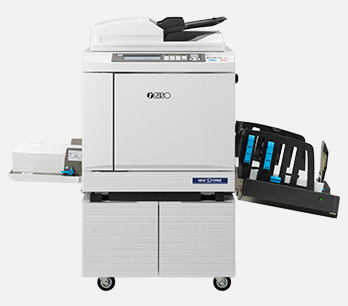
Key Features





Easy for Everyone
COLOR
TOUCH
PANEL
COLOR
TOUCH
PANEL
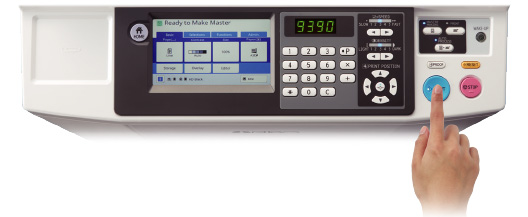
Enhanced Control Panel with Full-Color LCD
Featuring a large-scale color touchscreen for superior visibility. The vibrant interface allows users to navigate various functions and paper settings effortlessly. For maintenance tasks like master replacement, the screen provides step-by-step visual guidance, ensuring seamless operation for any user.
QUICK
SETUP
QUICK
SETUP
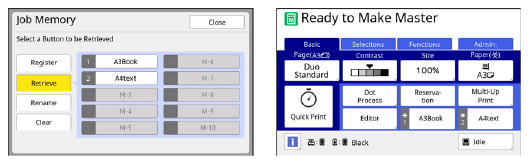
Memory Function: One-Touch Access to Frequent Tasks
Skip the Setup. Save Your Time. Don't let manual settings for postcards or custom feeds slow you down. The SJ9390 stores your go-to configurations for instant recall. Pin your top two favorites to the home screen and start printing with a single touch.
PROGRAM
PRINTING
PROGRAM
PRINTING
New Dedicated Features for Educational Institutions
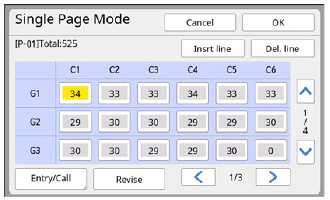
"Grade x Class" Mode for Program Printing, Designed for school environments, this mode offers a visual and intuitive way to manage prints for different classes. Adjusting for student count changes or transfers is quick and easy, ensuring the right amount of prints for every classroom.
USB
DIRECT
PRINT
USB
DIRECT
PRINT
Various printing approaches
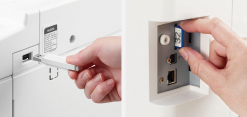
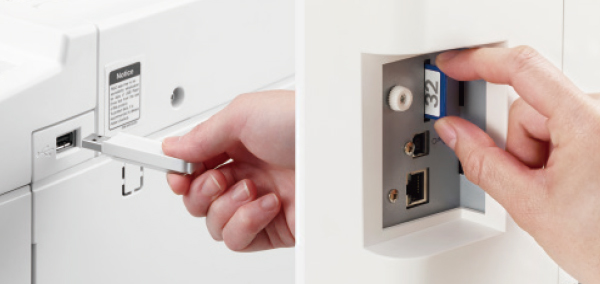
The SJ series offers various ways of printing, depending on your specific requirements.
- • Standard equipment of PC-I/F
- • Direct printing from a USB flash drive
- • General SD card compatible for data storage
PAPER
INSERSION
PAPER
INSERSION
Paper insertion function for easier sorting
The duplicator can be programed to insert a white sheet each time a designated number of pages has been printed. This makes it easier to sort and confirm the amount of documents completed.
MEMORY
PRINT
MEMORY
PRINT
Paper Memory Print
Step 1
Using the printer driver function installed on your PC, original data created on the PC can easily be converted into a digital pattern, which can be printed on a sheet of paper with a laser printer. *
Step 2
You can then scan the digital pattern created as in Step 1 through SJ9490/SJ9390, and easily retrieve the original data by decoding the digital pattern, achieving the same high quality of output image as that being processed through the PC.
* A laser printer with 600 dpi or higher resolution is required to achieve this function.

RISO
CONSOLE
RISO
CONSOLE
RISO console
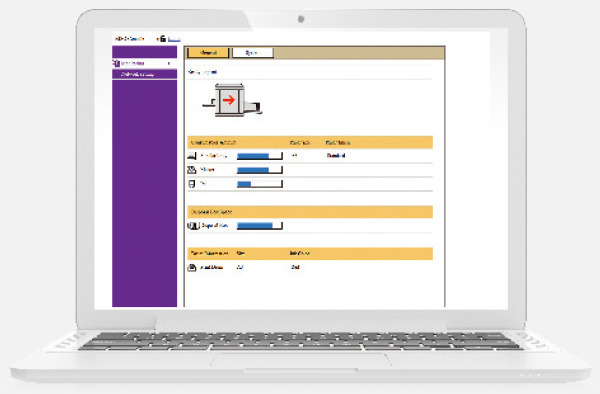
The total management system improves convenience by integrating applications in one place. Product, consumables and system information can all be checked easily on your PC.
How can we help you?
For enquiries about equipment, supplies, troubleshooting and other information.